To renew your membership, you first must log in to your SPT account. If you have forgotten your password, first follow our instructions for resetting your SPT password.
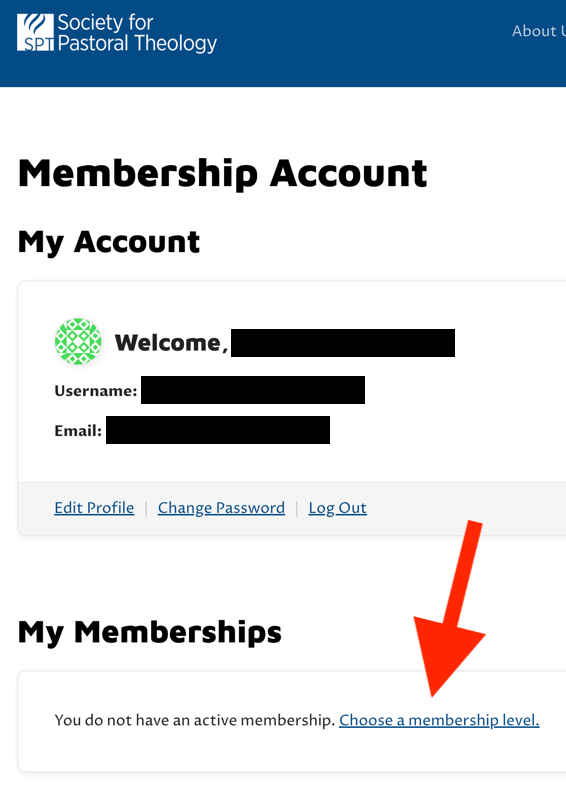
To reset your password, first login to your account by clicking the “Login” button and providing the email address associated with your account and the password. This will bring you to your “Membership Account” page. If you are already logged in, then you can get to the membership account page by hovering over the profile picture in the circle next to “Join SPT” (this picture is a colorful pattern if you have not provided an actual picture), then choose “Membership Account”.
On this page, if your membership has expired, you will see the notice that you do not have an active membership and a link to “Choose a membership level”. Clicking that link will take you to the “Join SPT” page where you can choose your membership level.
Remember that SPT memberships must be renewed every year, even if they are the free international membership.